


Kids Digital Microscope
Kids Digital Microscope
✨ 1000x magnification
📷 2MP camera
🔦 8 adjustable LED lights
Low stock
Couldn't load pickup availability
Safe and Secure Checkout
-
Ordered
- - -
Order Ready
- - -
Delivered
About The Kids Digital Microscope
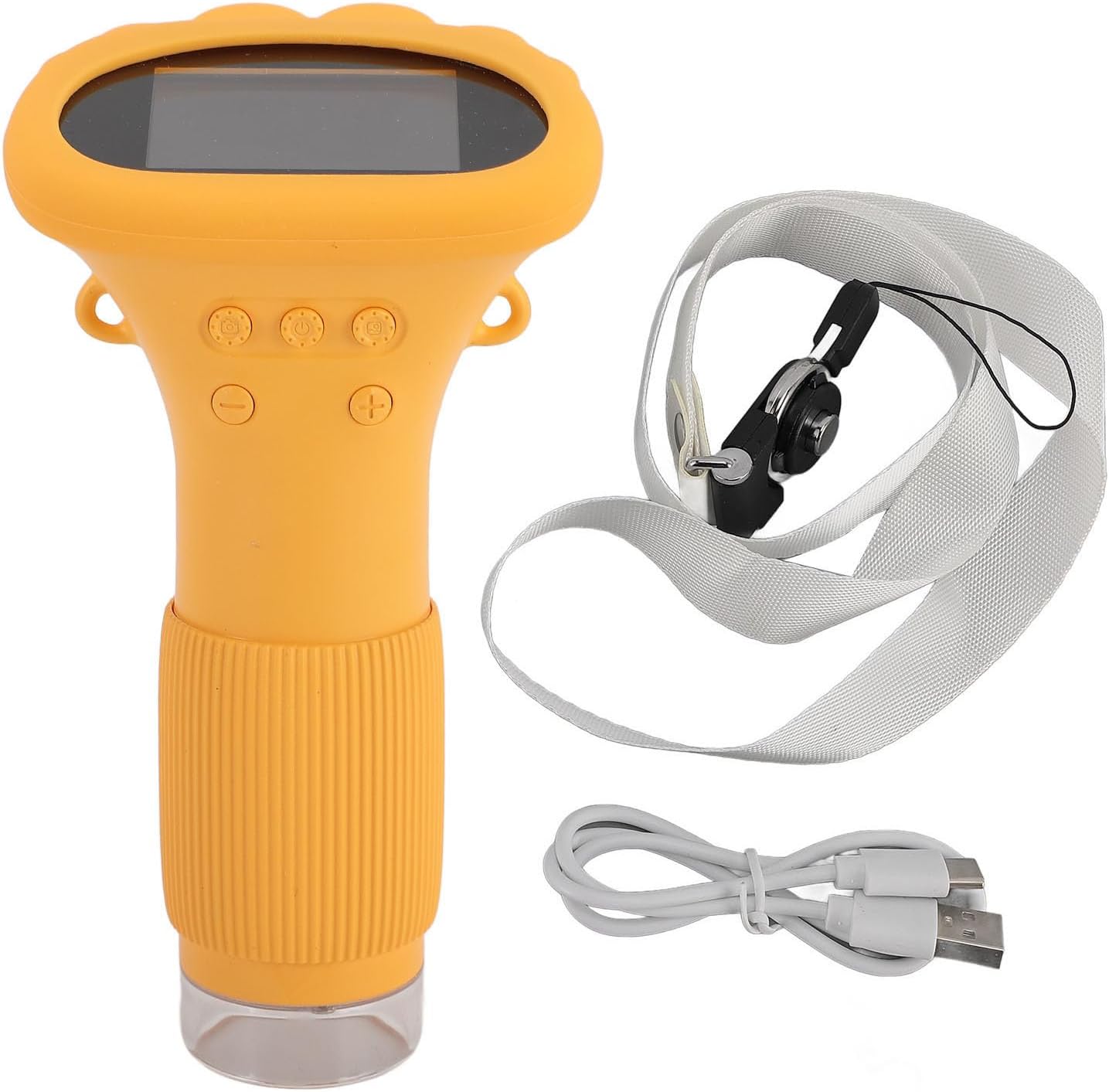
the Kids Digital Microscope — a portable exploration tool designed for curious young minds. From leaf patterns to insect wings, children can observe the hidden details of nature in real time and capture their discoveries on screen.
Key Features:
-
1000x magnification
- 2MP camera
- 8 adjustable LED lights

Kids Digital Microscope
What's included?
What's included?
- 1x Microscope
- 1x Charging cable
- 1x Wrist Strap
- 1x User Manual
Details & Specs
Details & Specs
Product Specifications
- Color: white, yellow, brown
- Lens Pixel: 2 million
- Resolution: 1920*1080P
- Magnification: 50-1000X
- Focus mode: manual focus
- Port: LED Type-C
- Battery capacity: 600mAh
- Battery life: Approx. 2H
- Charging time: about 2H
- Screen: 2.0 inch IPS screen
- Image format: JPG
- Video format: AVI
Shipping & Return Policy
Shipping & Return Policy


Why Kids Love It

Discover All The Features
We walk you through all the features of our handheld digital microscope so you can see how easily your child can explore, observe, and capture the tiny wonders around them.

Boring Gifts? Never Again
Looking for a gift they’ll actually use every day?
This glowing drawing board turns creativity into playtime magic ✨
Create glowing drawings again and again
Turn imagination into glowing stories
Enjoy screen-free fun parents appreciate
After a few uses I can say it definitely does what it promises.
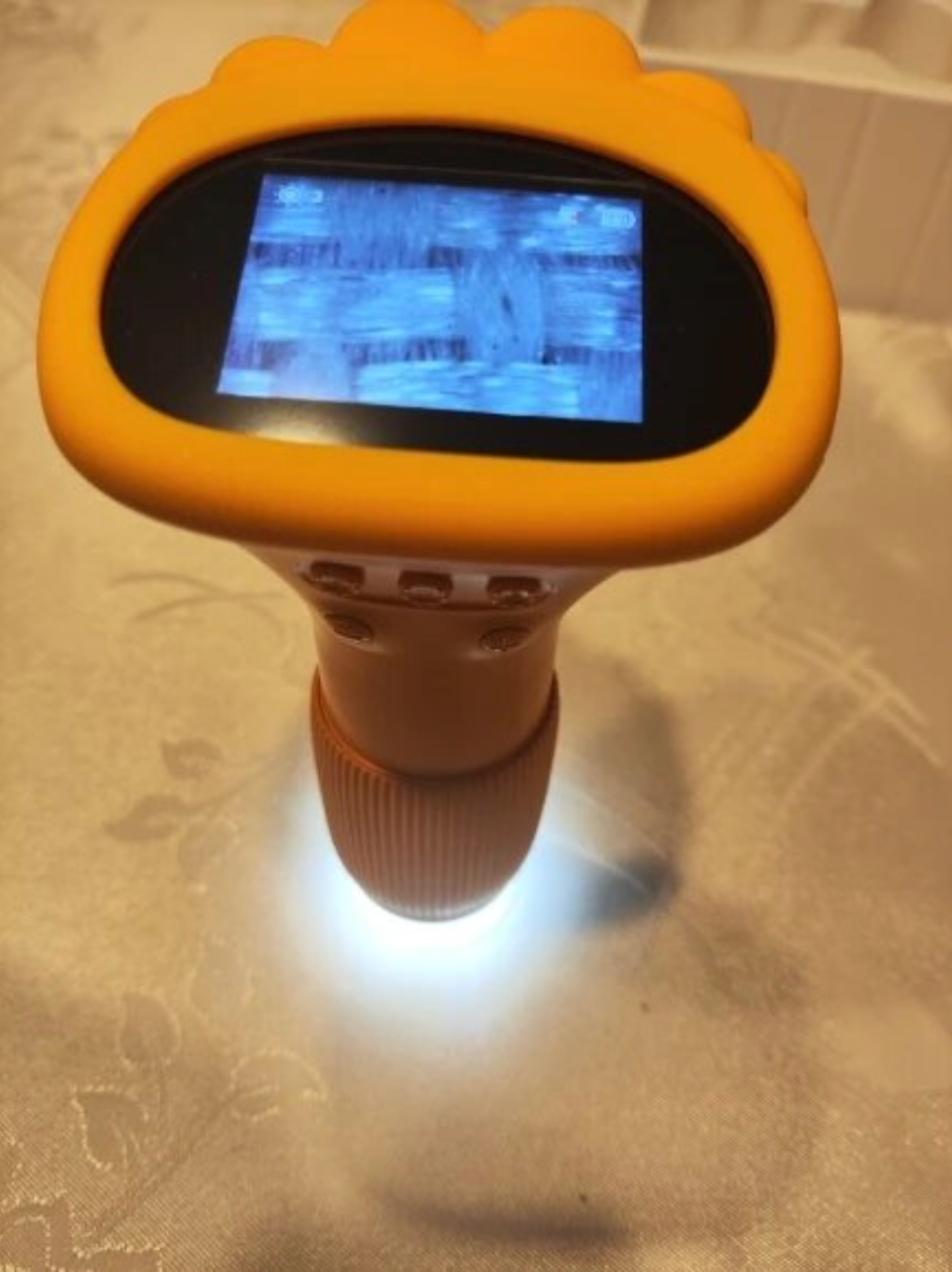
Bought it for my 7yo and he LOVES it. We spent half the afternoon checking leaves and tiny bugs.
The screen is way clearer than I expected. Nice little learning toy!
Didn't think we'd use this so much lol. My daughter keeps bringing me random things to look at.
Body of the review
Very good product. Child happy. Picture clear. Thank you :)
Such a cute gadget!! Perfect gift and actually keeps them busy.
Good quality for the price. We already used it on leaves, fabric and even fingerprints.
Works well. Took a minute to understand the focus but after that no problem.
All the kids wanted a turn. Might need to order another one soon lol.
Love it!! Nice alternative to screen time and my 5-year-old can use it by herself.
Wow!! Better than I expected for sure. My daughter calls it her "science camera".
My kid now wants to inspect everything around the house. Coins, toys, plants... everything.
Fast delivery, good packing, everything works. My son likes it very much.
We took it outside and the kids had so much fun looking at insects. Great for curious little ones.
Honestly I enjoyed it too. The zoom is pretty cool and the image looks sharp.
Really happy with it!! Works just like shown and my son figured it out fast.
Still have questions? We have answers
Frequently Asked Questions
Why isn’t the microscope charging?
Why isn’t the microscope charging?
Please try the following:
- Replace the USB Type-C charging cable
- Connect the device to another power source (wall adapter or computer USB port)
What should I do if the microscope freezes?
What should I do if the microscope freezes?
Restart the device by turning it off and switching it back on again.
Why won’t the microscope connect to my computer?
Why won’t the microscope connect to my computer?
Check these steps:
- Make sure the cable is securely connected
- Try another USB cable (preferably the original cable)
- Ensure the microscope is powered on
- Confirm the device is in memory card reading mode
Why are photos or videos not saving?
Why are photos or videos not saving?
This usually happens if the memory card is missing or not working properly:
- Insert a memory card if one is not installed
- Replace the memory card if needed
- Format the memory card (note: formatting deletes all stored files)
Why is the image blurry?
Why is the image blurry?
Rotate the focus ring on the microscope until the image becomes clear.
Why Families Choose Us
Fast shipping, easy returns, and friendly support whenever you need it
-

Free Shipping
Free shipping
on orders over $30 -

60 Days Return
Easy returns for 60 days
after delivery -

Real-time Tracking
Track your order live from dispatch to delivery
-

24/7 Support
Need help? Our support team is available 24/7


